Groups allow you to organize profiles together. Groups are helpful when you have a group of agents that all have the same commission plan. In addition, if you regularly invoice agents for the same charge, you can utilize groups when creating invoices.
1. In the left menu, navigate to People & Permissions and then select Groups.
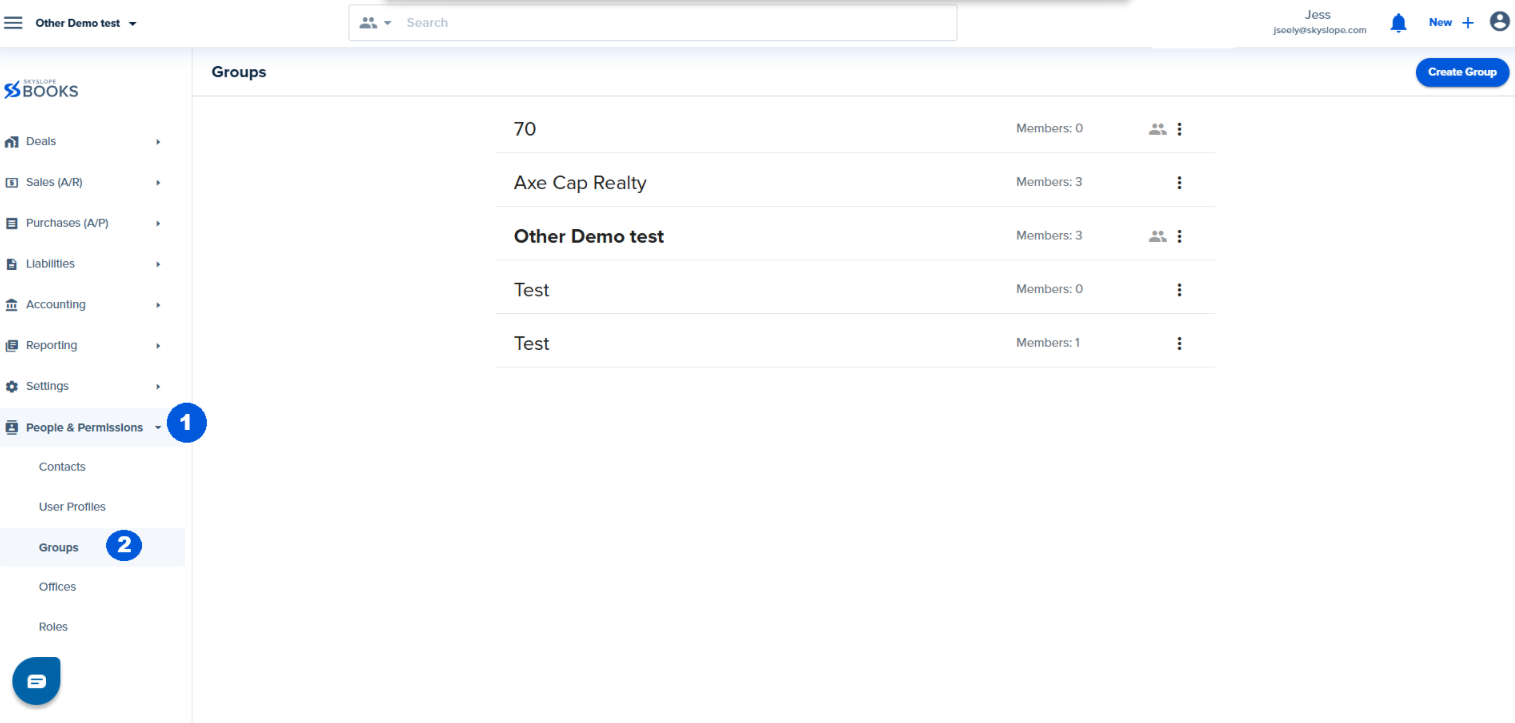
2. Click Create Group in the upper right corner.

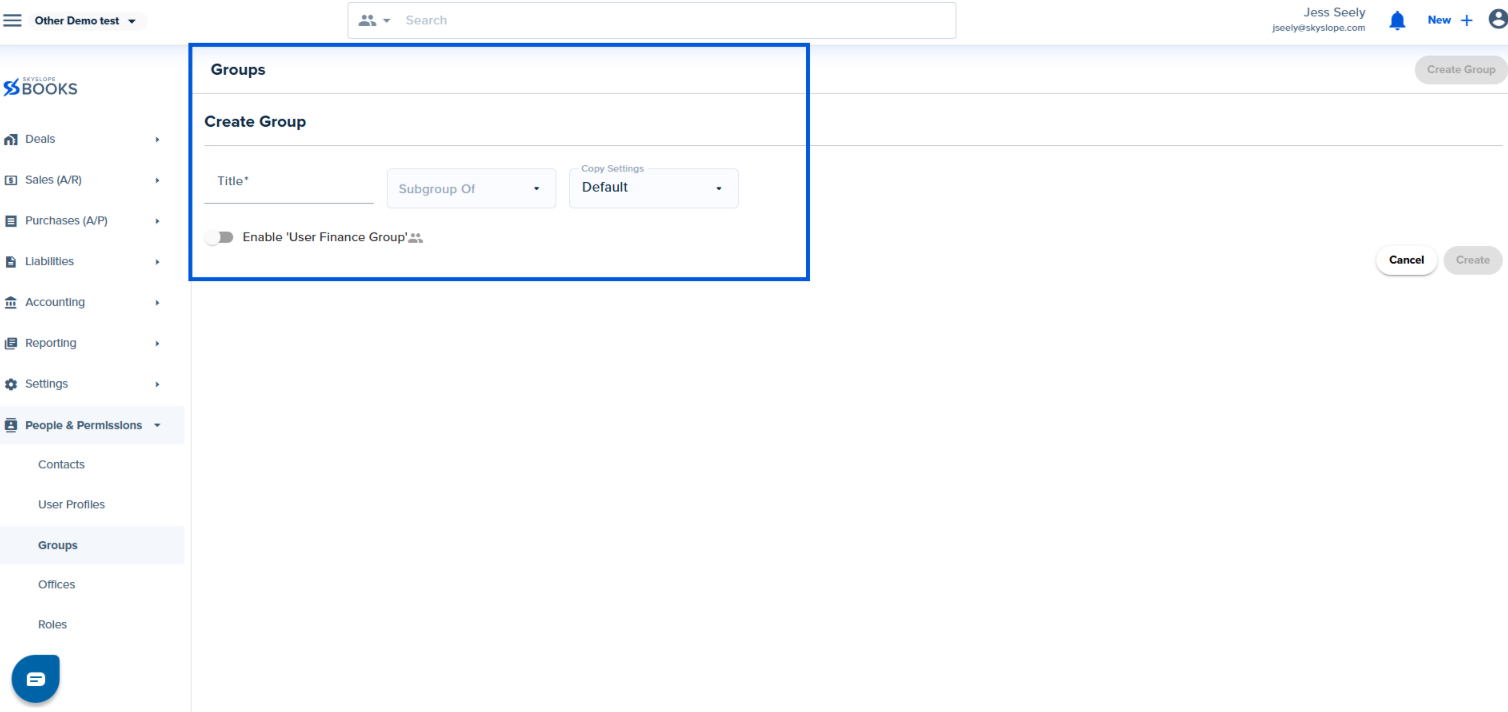
3. When creating the Group, you will need to enter the following details:
- Title (required) - The name of the group.
- Subgroup of - Utilize this if you want this group to be a subgroup of another group.
- Copy Settings - Utilize this if you want the new group to have the same settings as another group. If not, utilize Default settings.
- You can enable Enable User Finance Group to use this group in Rules (Compensation plan module).
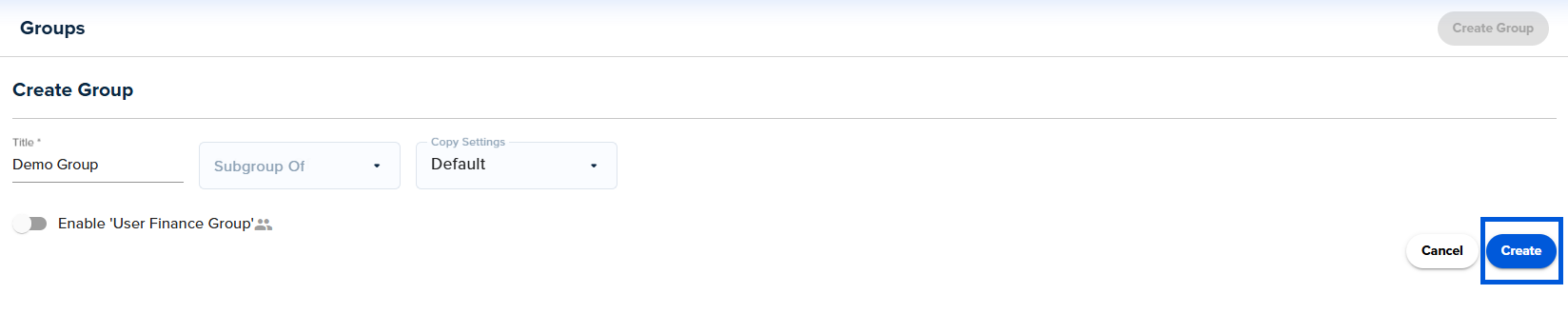
4. Click Create to create the Group.
Was this article helpful?
That’s Great!
Thank you for your feedback
Sorry! We couldn't be helpful
Thank you for your feedback
Feedback sent
We appreciate your effort and will try to fix the article
<\br>