
Support Availability Notice:
Books Support will be unavailable starting at 12:00 PM PST on Thursday, June 25th
and All Day on Friday, June 26th to celebrate our annual Employee Appreciation Day.
We will resume regular business hours at 7:00 AM PST on Monday, June 29th.

Support will also be unavailable on Friday, July 3rd in observance of Independence Day.
We will resume regular business hours at 7:00 AM PST on Monday, July 6th.

During this time off, you can still Email BooksSupport@SkySlope.com or leave us a message via the chat function and we will respond as soon as possible!

Switching Between Multiple Companies/EINs

Created by Natalie Bidal, Modified on Mon, 18 May at 12:50 PM by Books Admin

If you use different banks for different offices/divisions, you may have multiple Companies configured in your SkySlope Books account. The guide below will show you how to toggle between multiple Companies.


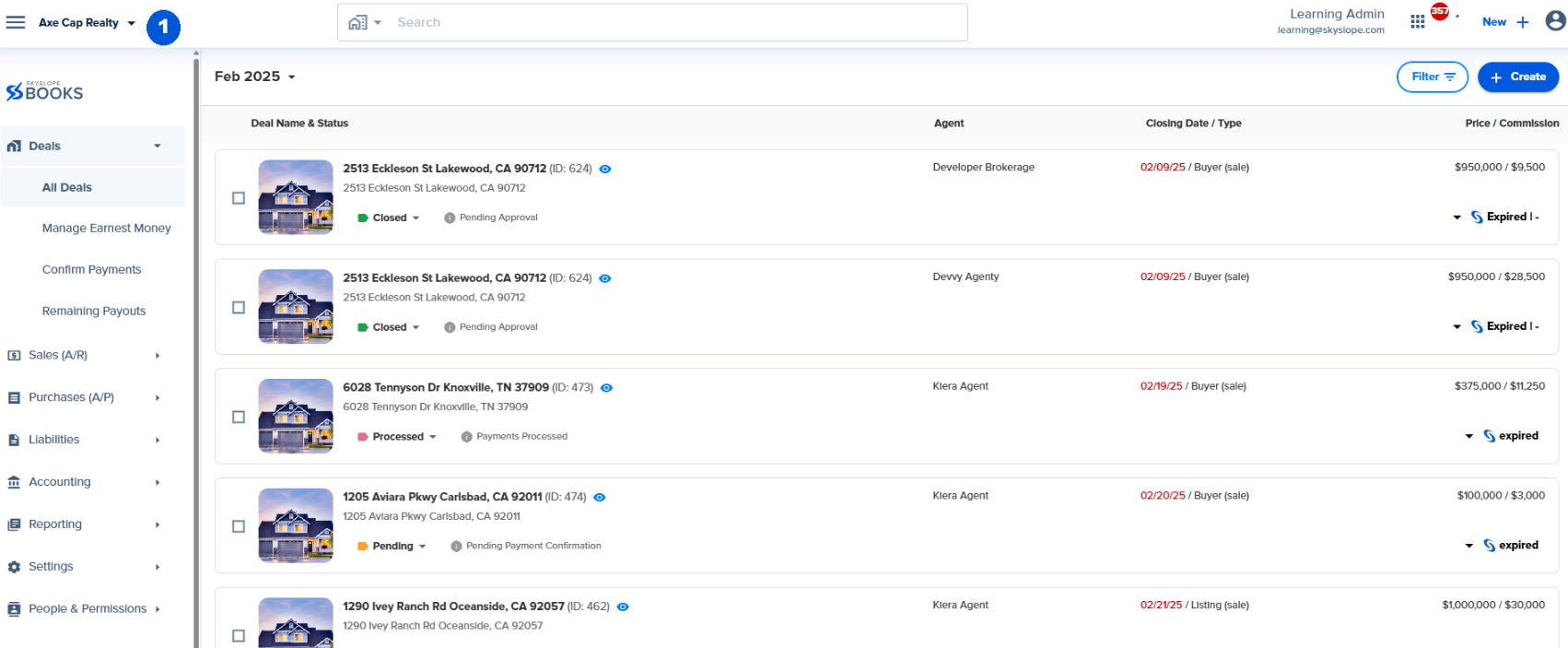
1. Click your company name at the top left part of your screen.
 

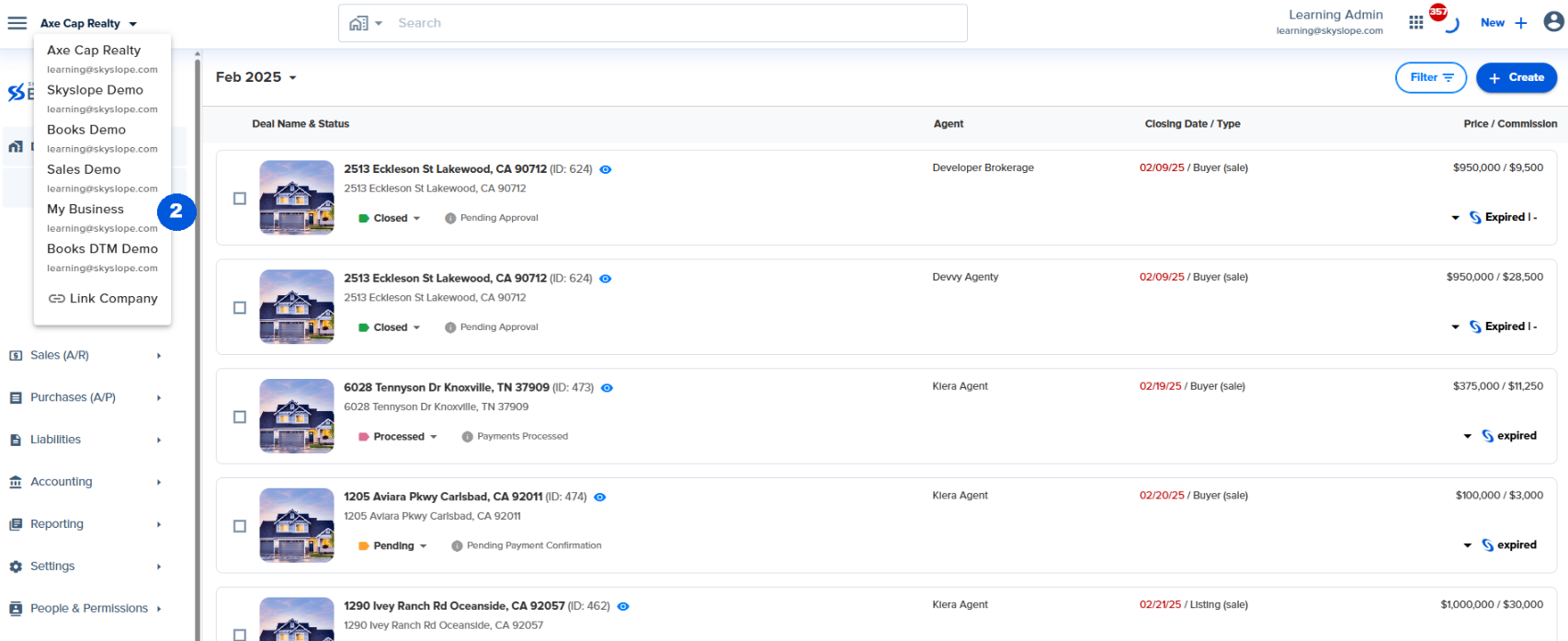
2. This shows you a dropdown with a list of other companies you are associated with and your My Business Account. Click the name of the company you want to switch to.
 

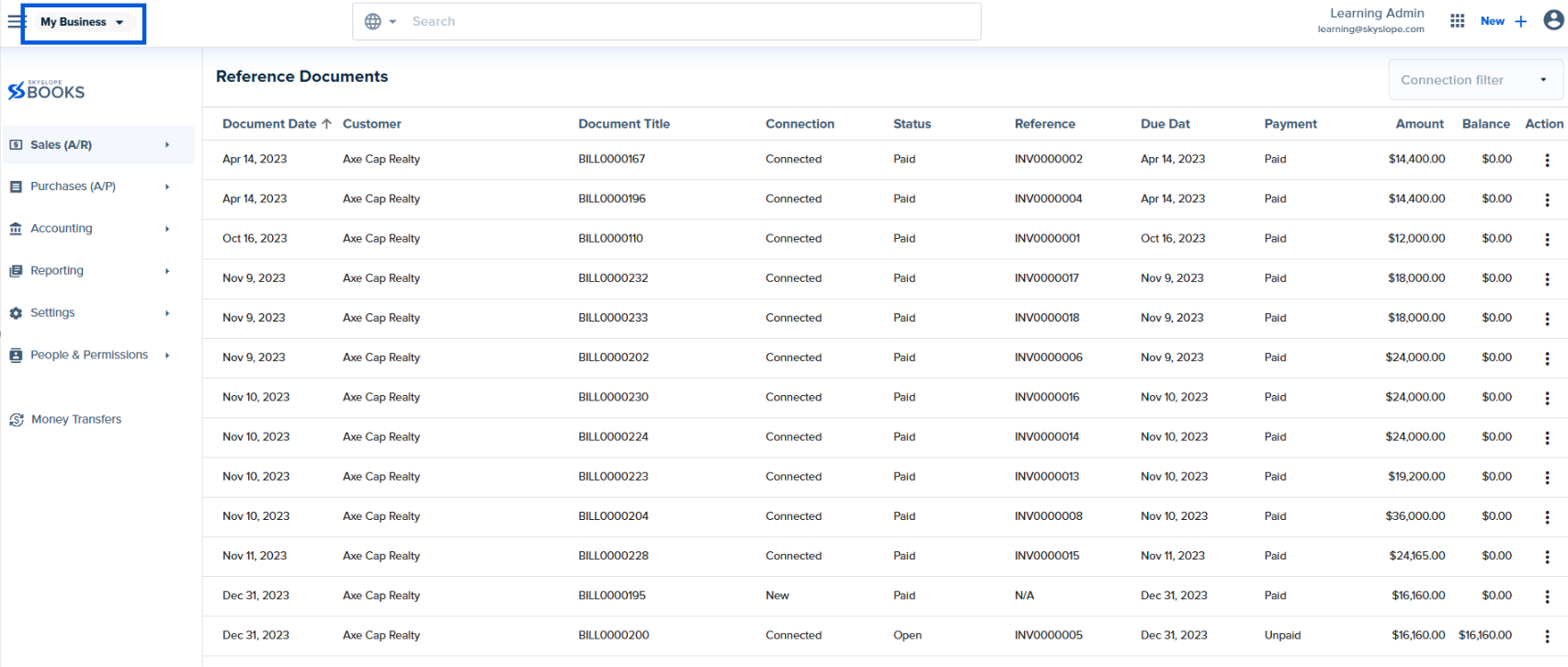
3. Your view will switch to the selected company.
 

Was this article helpful?

That’s Great!

Thank you for your feedback

Sorry! We couldn't be helpful

Thank you for your feedback

Let us know how can we improve this article!

Select at least one of the reasons
CAPTCHA verification is required.

Feedback sent

We appreciate your effort and will try to fix the article


<\br>