The CAP Widget shows you an overview of the total deals or dollar amount that have contributed toward the total CAP, based on a specific financial element.
Getting Started
1. Under the Reporting module, navigate to the Dashboard you want to customize.
2. Click Edit Dashboard. Then the +Icon under Add Widget.
3. Select the Widget Type. In this article, we will go over creating the CAP - Commission Structure Widget.
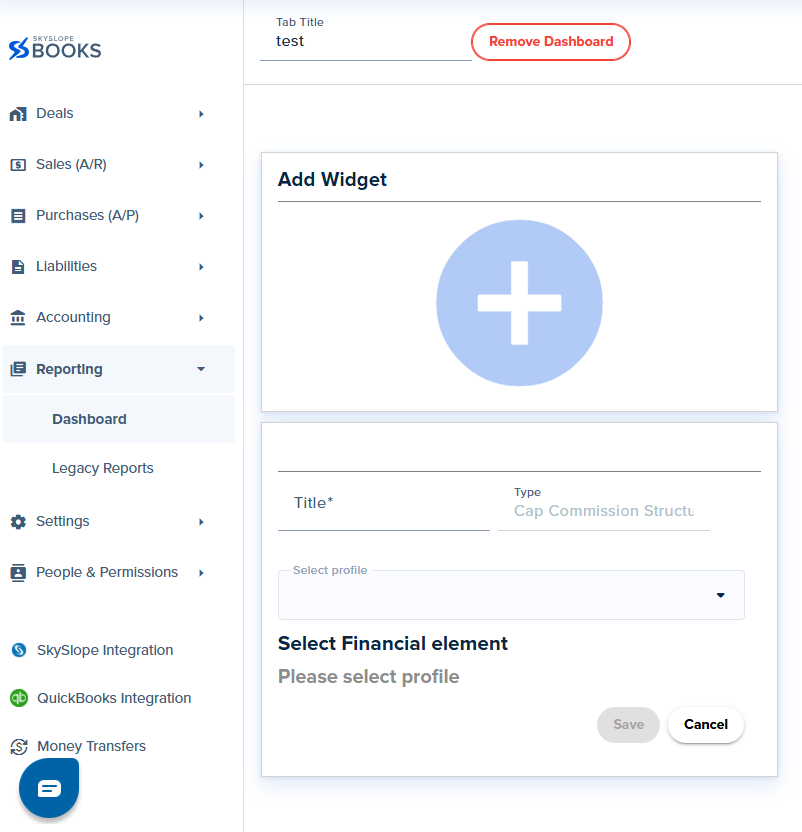
- Title: The title you want to name your widget for your Insights board
- Select profile.
- Select the financial element.
This Widget shows the contribution toward CAP (either the amount of deals or the dollar amount).
Was this article helpful?
That’s Great!
Thank you for your feedback
Sorry! We couldn't be helpful
Thank you for your feedback
Feedback sent
We appreciate your effort and will try to fix the article
<\br>