When should I terminate an agent?
You can wait to terminate an agent until all of their outstanding payouts are complete. There’s no need to rush. You can keep the agent active until every payout is done.
How do I terminate an agent?
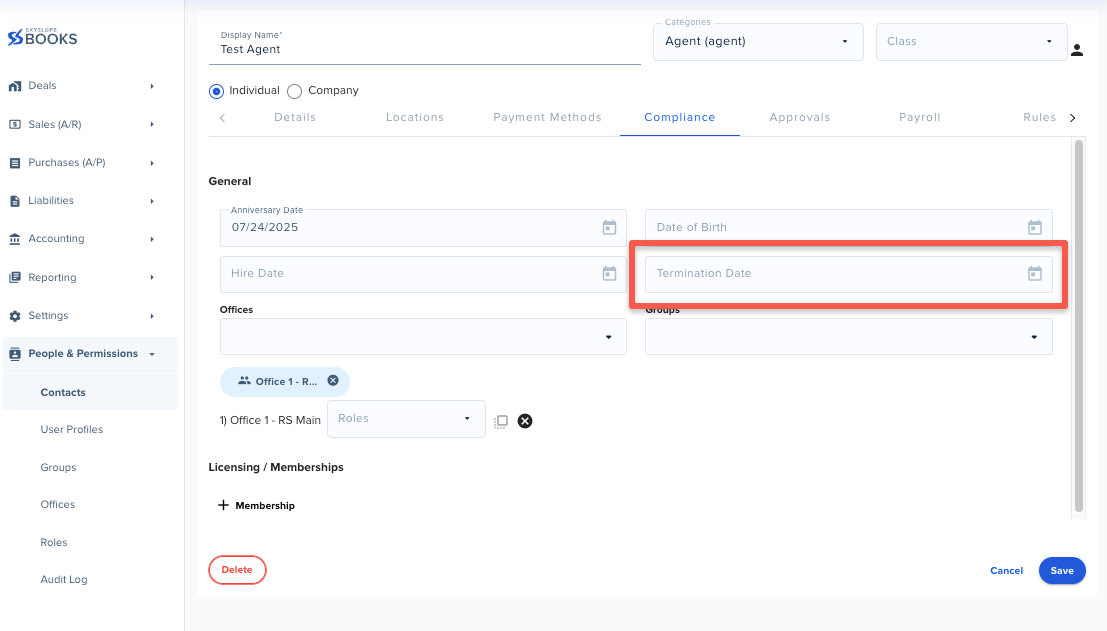
1. Navigate to People & Permissions > Contacts and locate the agent. Click on the pencil icon (located in the top-right corner) to edit their contact profile, then go to the Compliance tab. Add a Termination Date to the agent’s contact profile, then click Save.
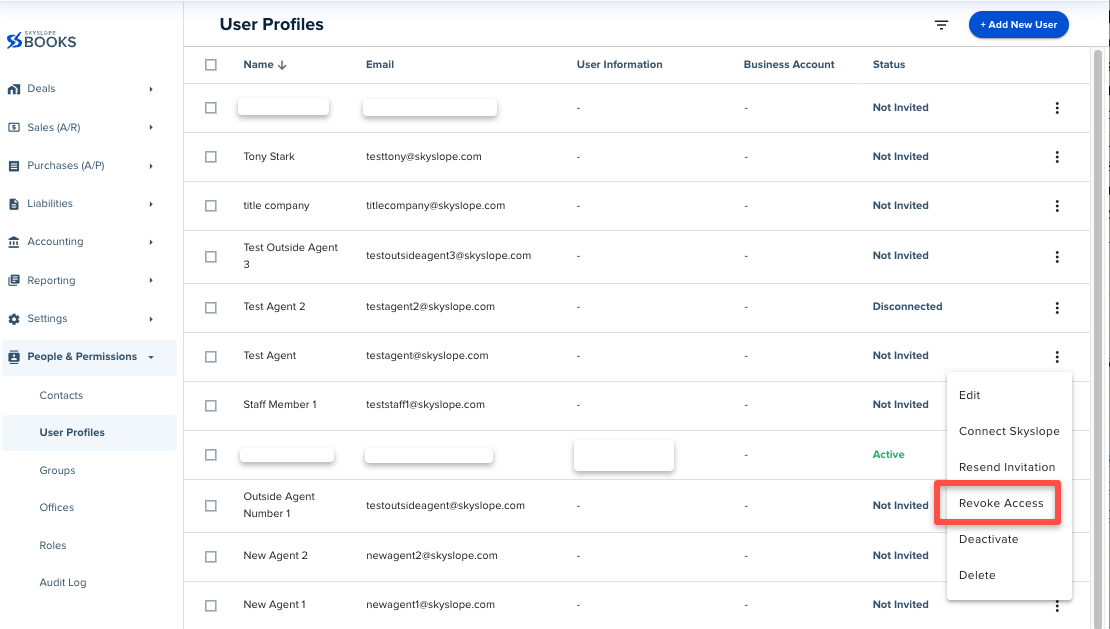
2. Navigate to People & Permissions > User Profiles and locate the agent. Select the three dots on the right-hand side and click on Revoke Access.
Important: Once all deals and payouts are completed for the agent, come back to the User Profiles page and select the Deactivate option.
For details on the differences between revoking, deactivating, and deleting a user profile, see Revoke, Deactivate, or Delete User Profiles.
What happens to the agent’s information?
Nothing is deleted. The agent’s profile, transaction history and payout records stay in Books, so you can look them up any time.
What about 1099s?
Terminated agents still need a 1099 for the year they were paid. They’ll appear in the 1099 Report and any supplemental reports for that year, so you can issue their 1099 as usual at year-end.
What if the agent comes back to the brokerage?
Remove the Termination Date in their contact profile and select the Reactivate option on their user profile, then you can resend the invitation.
Was this article helpful?
That’s Great!
Thank you for your feedback
Sorry! We couldn't be helpful
Thank you for your feedback
Feedback sent
We appreciate your effort and will try to fix the article
<\br>