In the Journal, you will be able to manually record adjustments to the ledger accounts that are not associated with Invoices, Bills, or Deals. In this article we will go over how to create Journal entries.
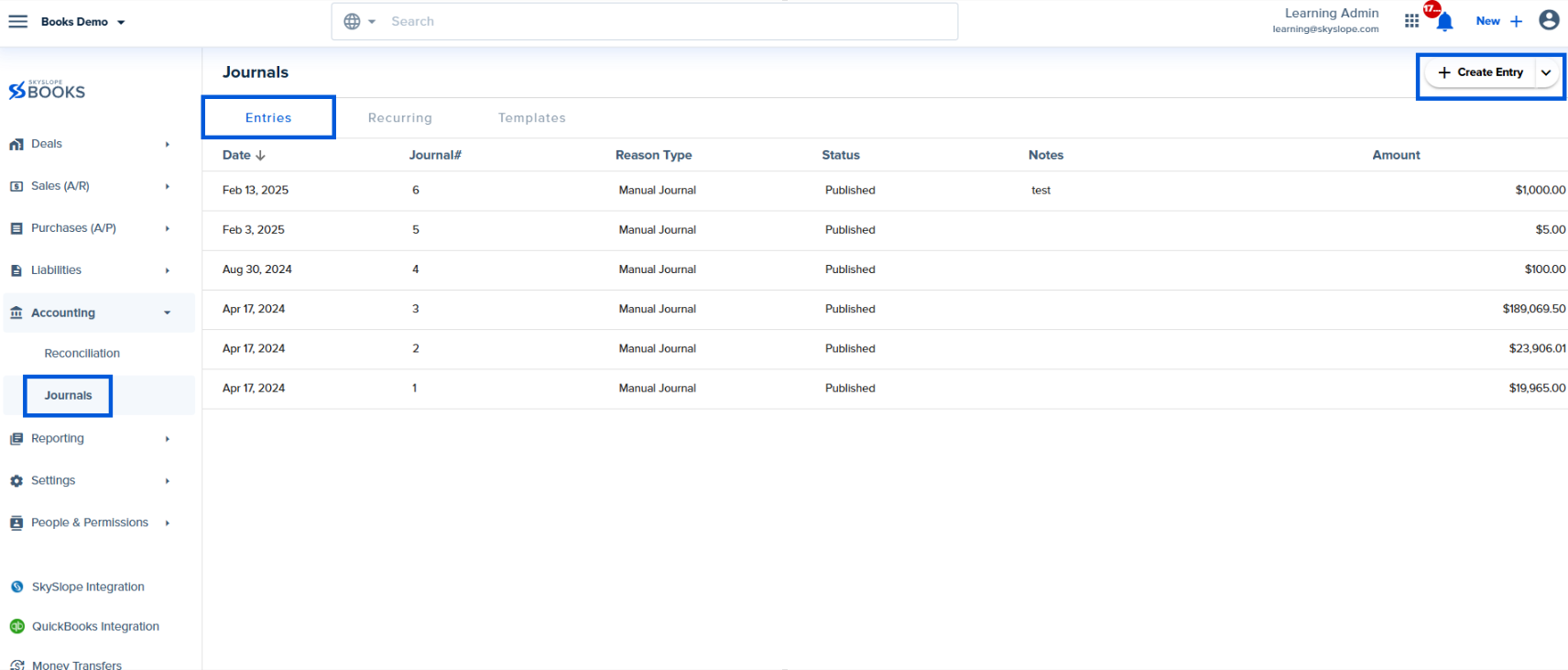
To create a new Journal entry you can click on the + Create Entry button on the top right hand corner of the entries tab.
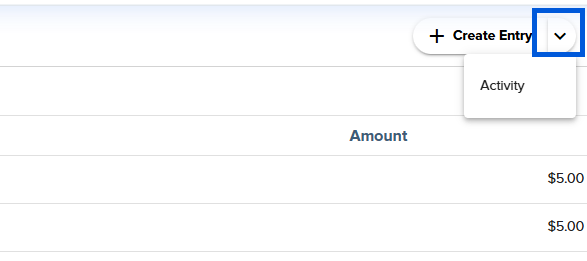
Additionally, you can quickly create a new journal entry from your saved Journal Templates by clicking on the drop-down arrow to the right of the "Create Entry" button (Creating Journal Templates is discussed here)
When creating a new journal entry you will be asked to enter the following information:
- Date (required)
- Journal Type (required) - Choose the "Cash" option to make this journal entry appear only in the reports that are generated on cash basis. If not, select "Both" to make it appear in both the accrual and cash basis reports.
- Ledger Accounts (required) - Select the accounts that are involved in this journal entry.
- Debit Amount (required)
- Credit amount (required)
- Reference # (optional) - for internal brokerage notes as needed (e.g. coding notes, check numbers, deal addresses etc.)
- Description (optional) - another field for internal brokerage notes as needed.
- Division (optional) - Can be used to specify that the journal entry should be recorded under a particular Division's financial reports. "Add line +" (as needed) - if more than two ledger accounts are involved in a particular journal entry, you can use this feature to add an additional ledger account line item.
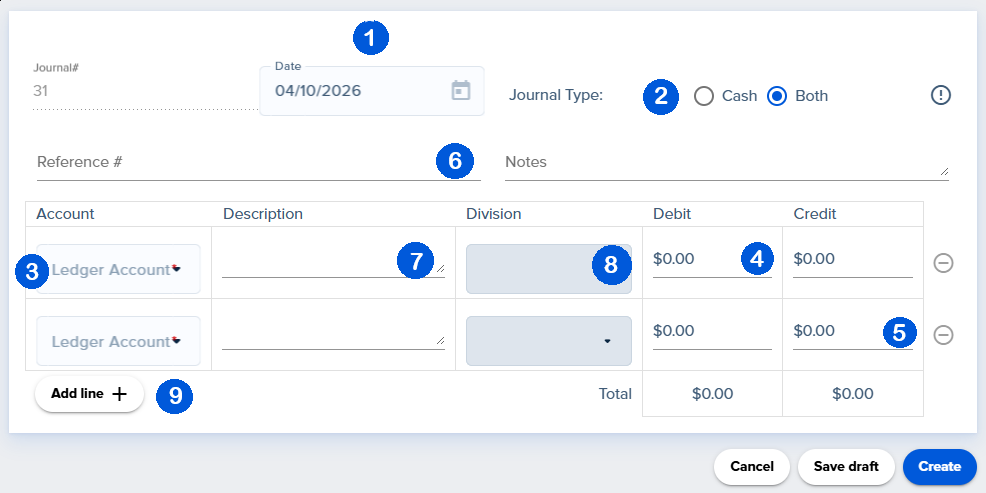
Once this information is entered you will click the blue create button on the bottom right hand corner of the screen. When editing a journal entry you will have the option to change any information that was previously entered as well as, delete, save the draft of the entry and publish the entry.
Was this article helpful?
That’s Great!
Thank you for your feedback
Sorry! We couldn't be helpful
Thank you for your feedback
Feedback sent
We appreciate your effort and will try to fix the article
<\br>